When a designer actually builds it...
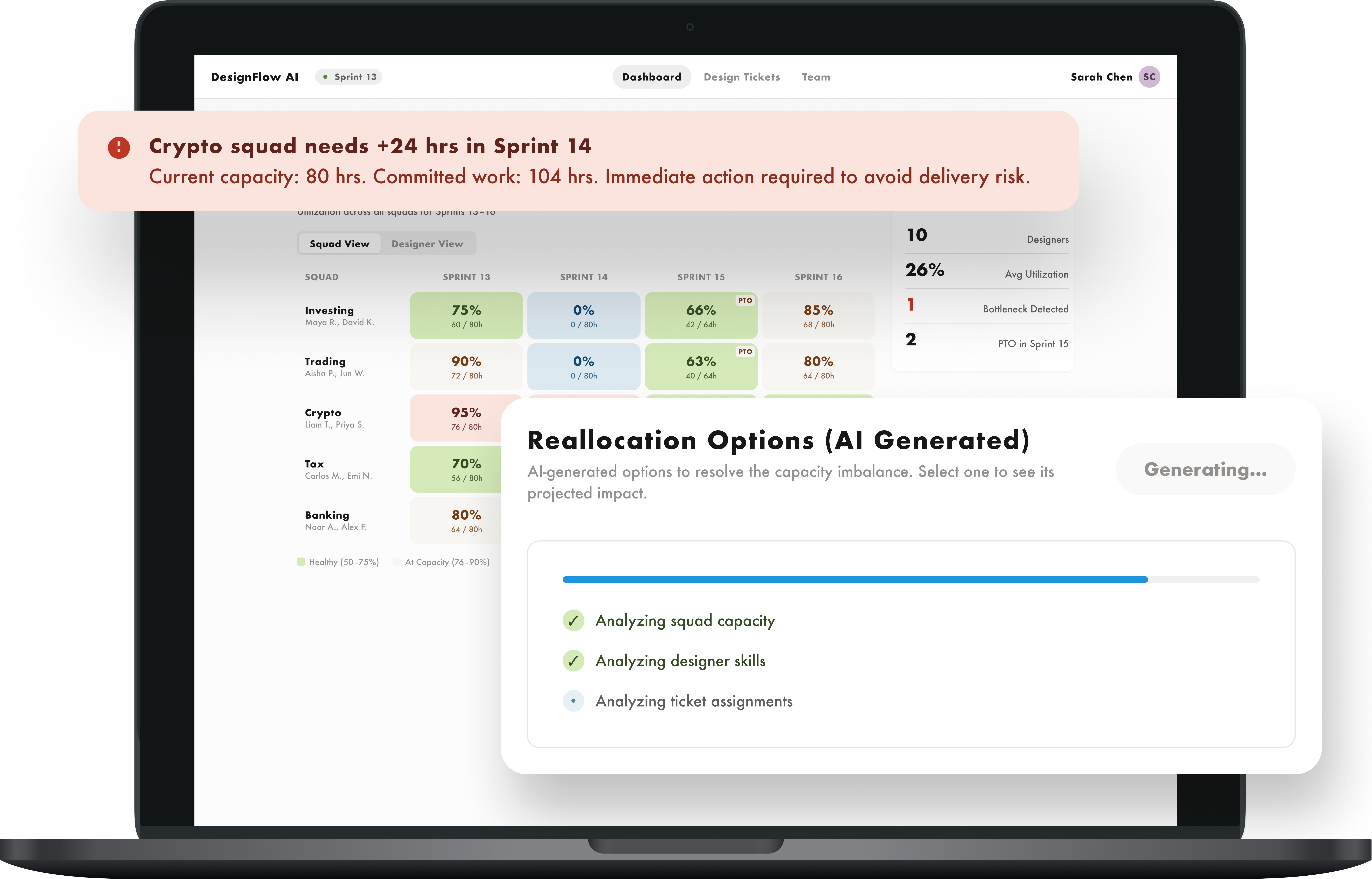
I built this tool as part of a design application challenge. The challenge was to design and prototype an AI system that creates efficiencies and meaningfully expands what a human can do. The expectation was to leverage AI tools to build the tool and to integrate working AI into the tool itself. I had 4 days to do it.
In addition to the design challenge, I used this as a learning opportunity to understand what it really takes to integrate AI into a product in a way that's consistent and purposeful.
As a Senior UX Designer on an Agile team, I work closely with Product each sprint to refine and estimate design tickets and to manage resourcing.
Even though I've estimated tons of ticket, it still feels more like intuition than science and inaccurate estimates impact the entire project team. Underestimation puts work at risk and overestimation creates unnecessary gaps.
In addition to ticket estimation, the process of reallocating design resources can be quite manual, and requires a lot of cross-team communication.
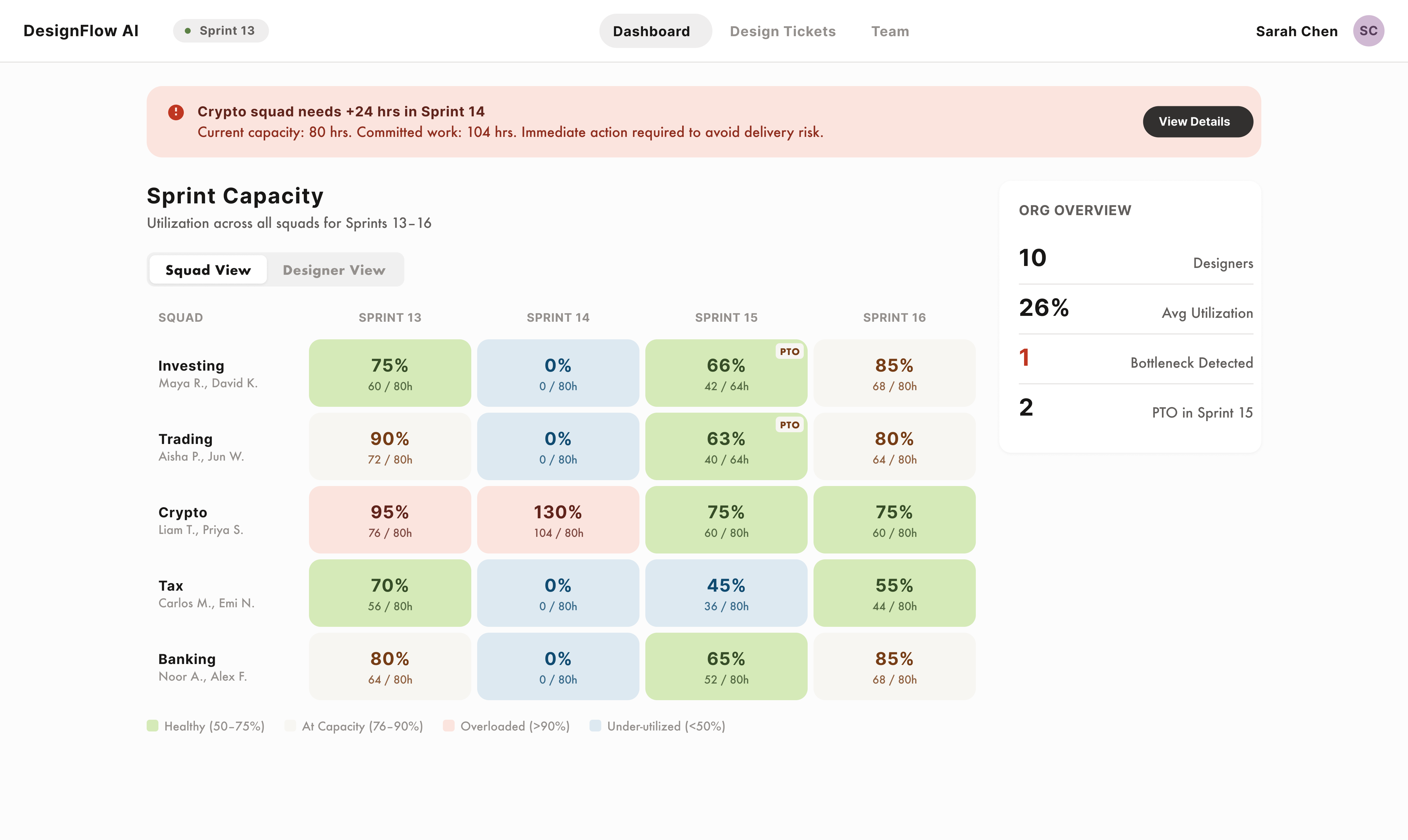
To address these 2 issues, I built a workforce planning tool for design managers that uses AI to: surface design team capacity issues via a dashboard, estimate design tickets, and suggest redistribution options when a design team is overloaded.
After defining the problem space and the solution I wanted to build, I drafted a PRD with Claude to document and further define the problem, the solution, the features, and the AI functionality. I stored my project files in Github which helped with branching and version control. I set up the AI API using Claude, and then eventually deployed to Vercel.





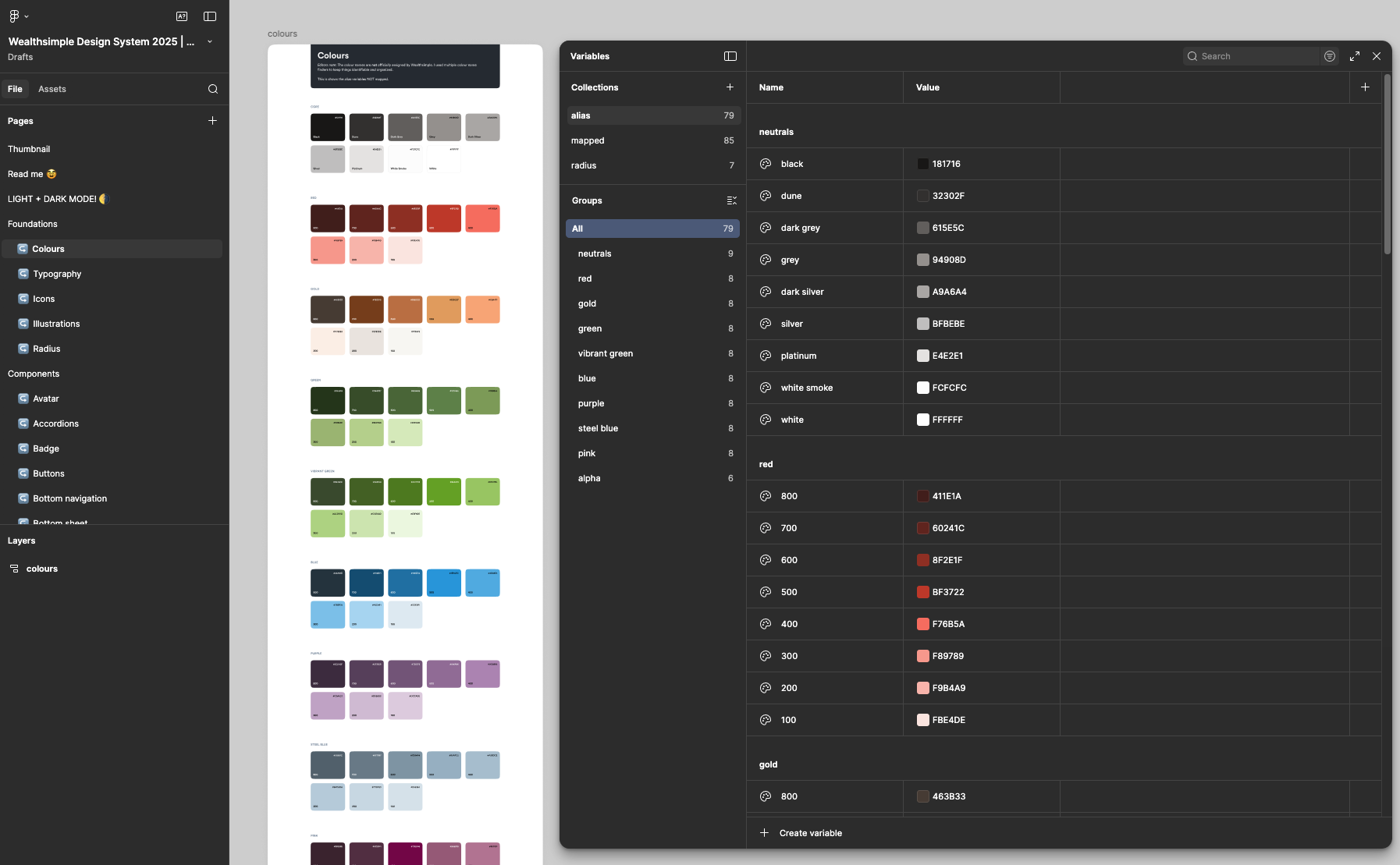
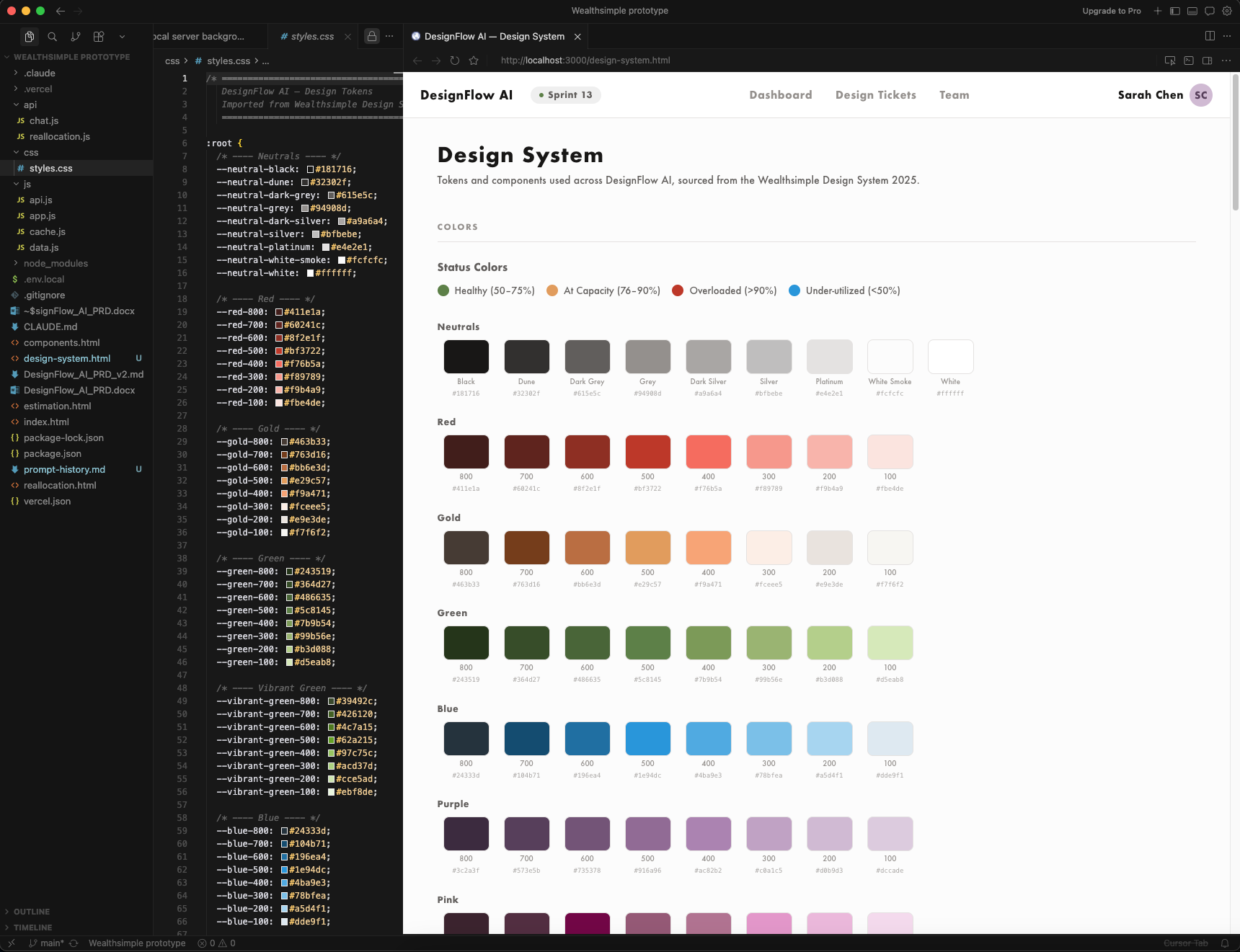
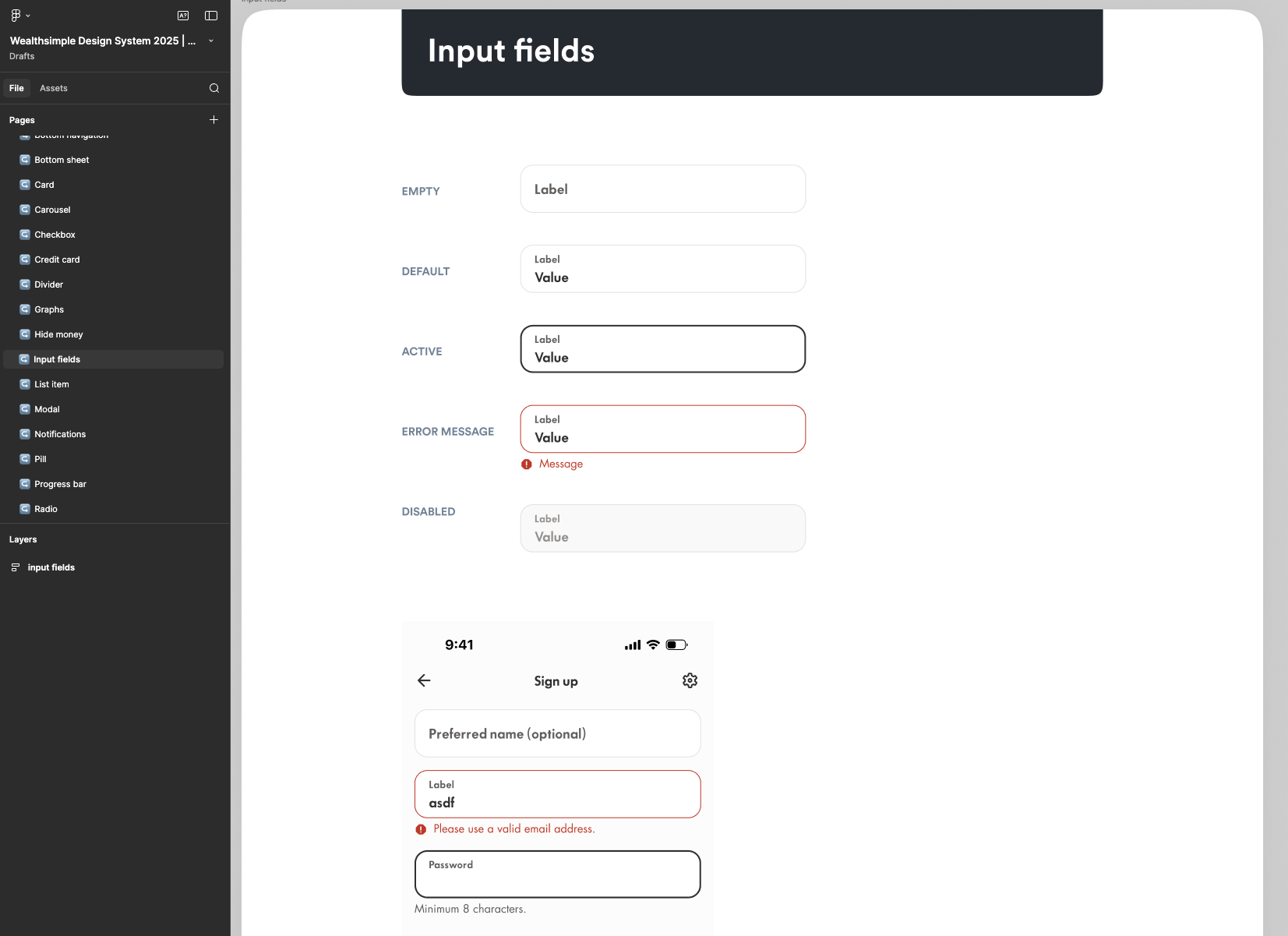
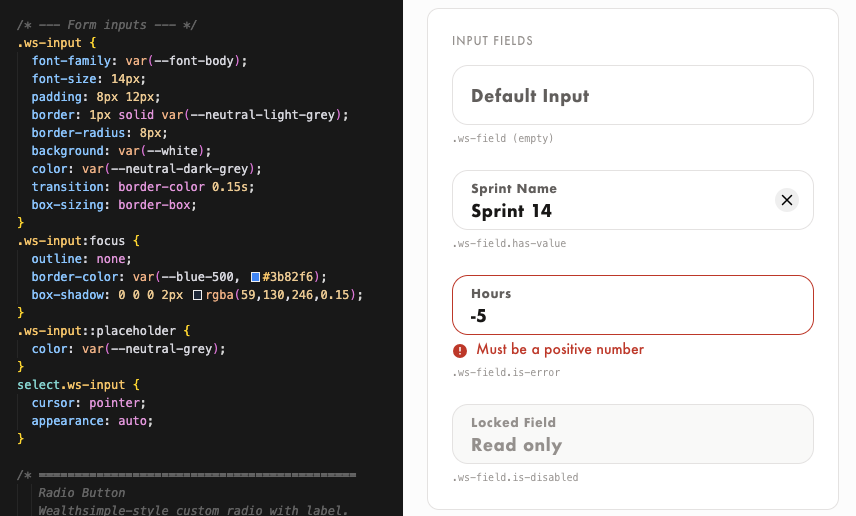
Because this was for a design application challenge for an actual company, I wanted to leverage design tokens and components to ensure the UI aligned with the company's branding and to ensure UI consistency across the tool. I leveraged a Figma community design resource and imported its variables and tokens into Claude Code using the Figma MCP.
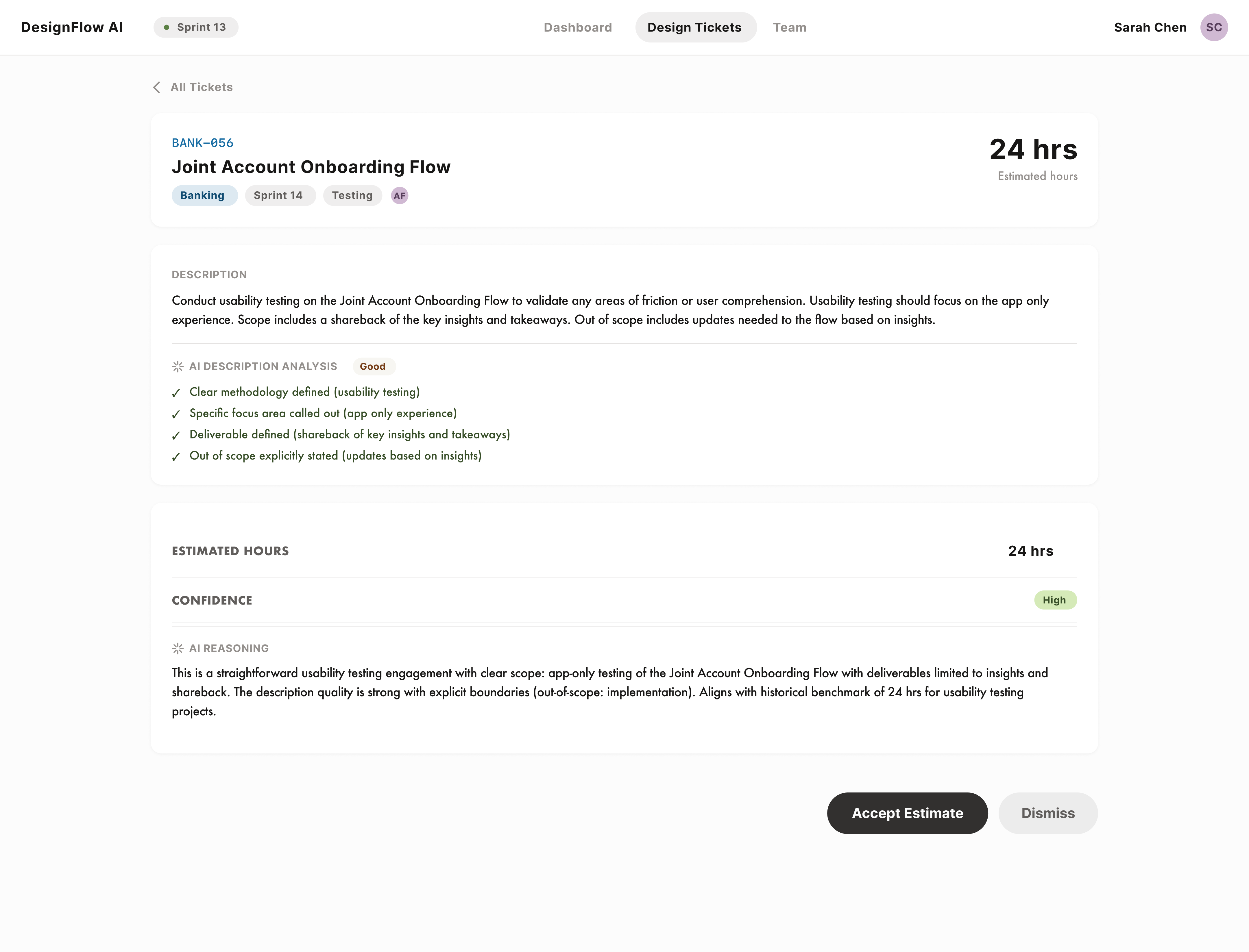
For ticket estimation, the AI has a high level of responsibility and autonomy. It can generate estimates based on specific signals, and the design manager has the ability to review and override these estimates. I was comfortable with the AI having this level of responsibility because the task of estimating tickets can be calculated predictably, with the AI getting better overtime.
The design manager will likely be more involved in the review of AI estimates when this tool is first implemented, until the AI has calibrated over time. But the design manager will always have the ability to review and edit estimates.
When a user clicks "Run AI Estimation" on a ticket, the app sends a prompt to Claude and asks it to estimate the ticket based on a number of signals and estimation rules. The signals are:
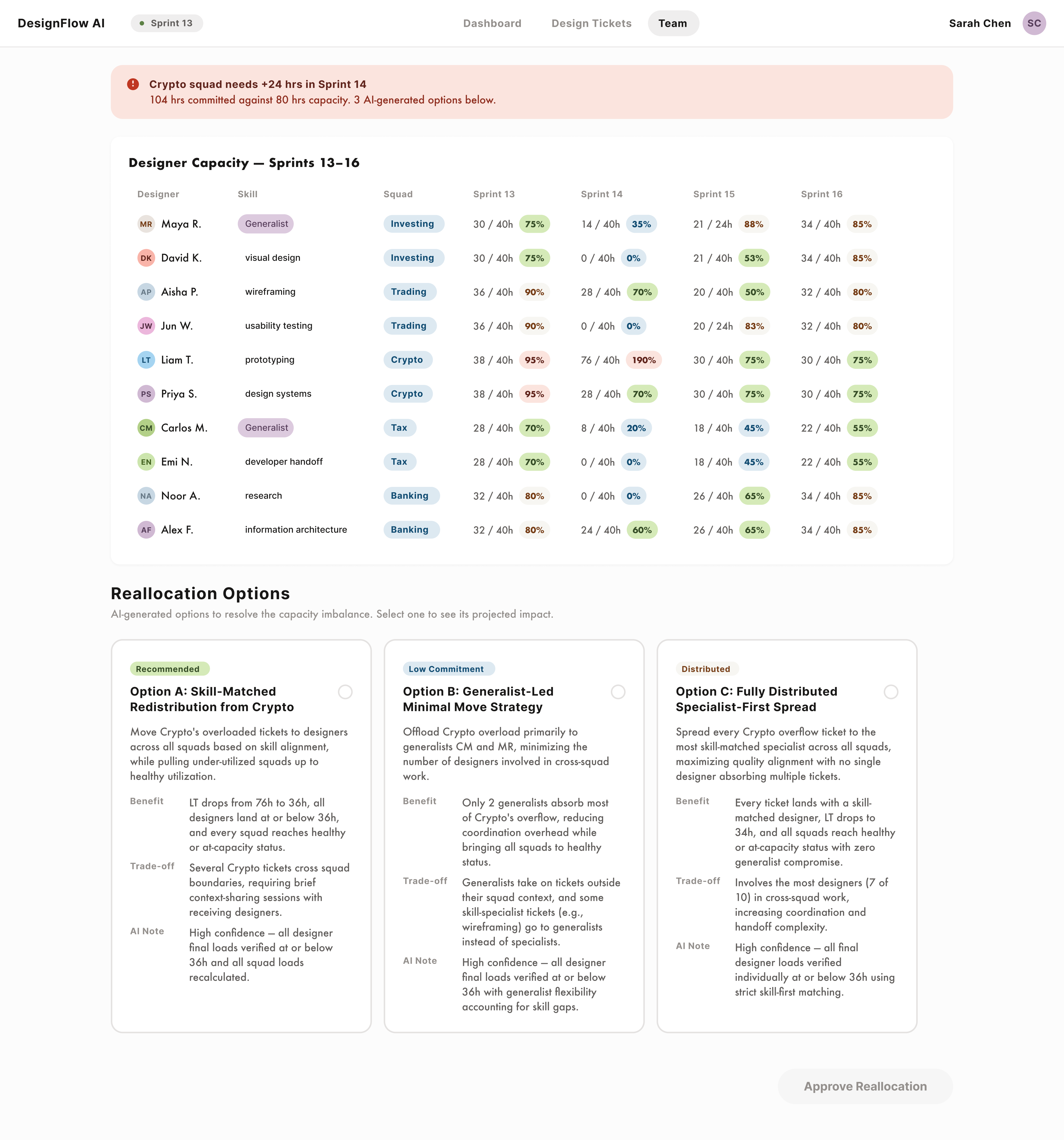
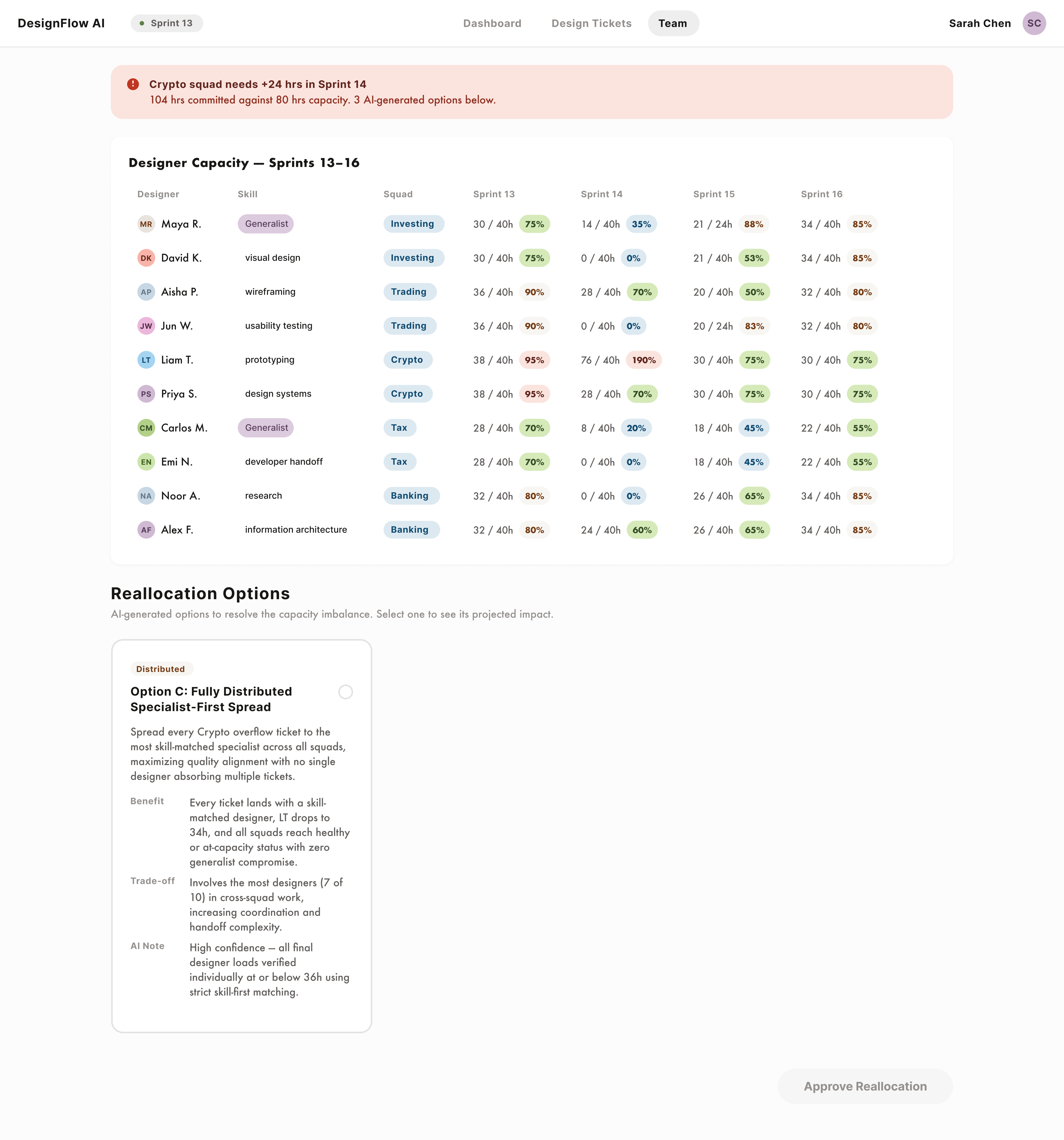
Because of the implications of reallocating work, the AI's responsibility and autonomy is low for this task. The AI recommends reallocation options, flags its benefits and tradeoffs, but doesn't do any of the actual reassignment.
The design manager is responsible for reviewing the options, selecting the option that they think would work best, and confirming any ticket reassignments.
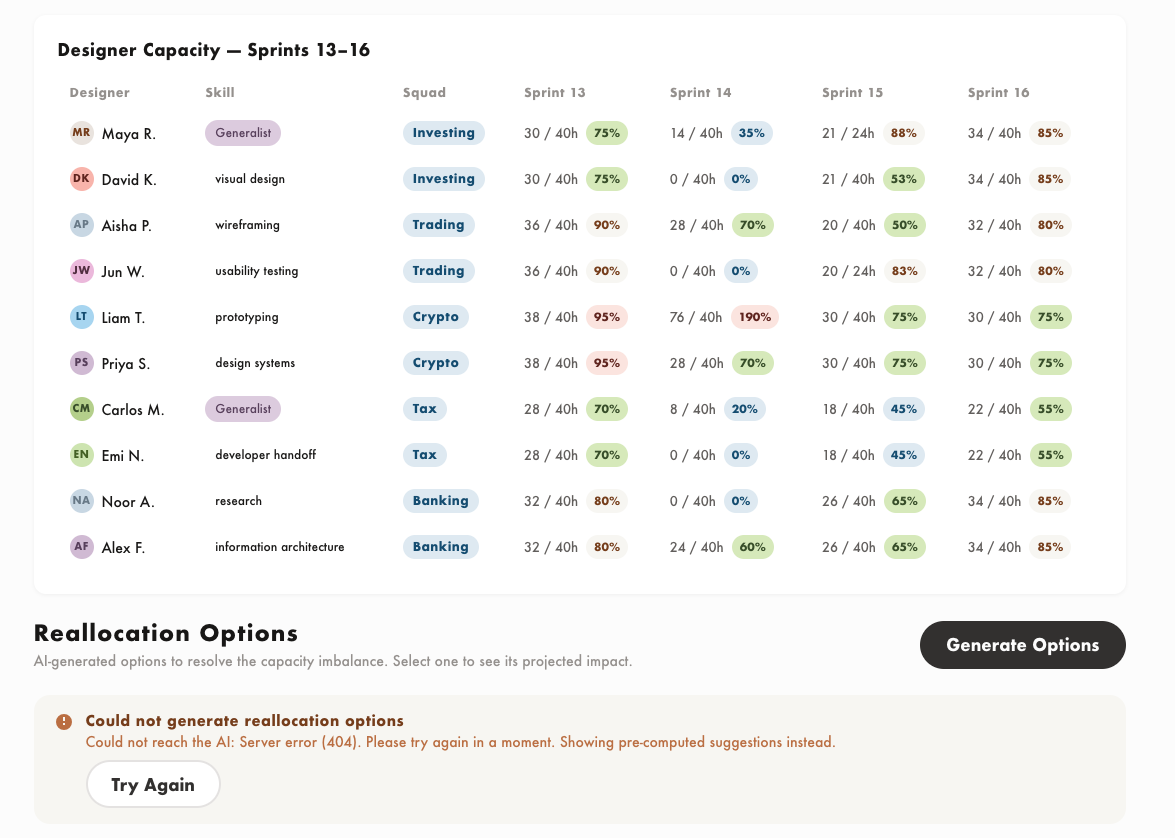
If there is an overloaded team, the tool will generate options for the manager for how to redistribute the workload. When a user clicks "Generate Options" on the Team screen, the app sends capacity data, designer workload, skills and ticket assignments to Claude through an API. Claude analyzes the imbalance and returns 2-3 reallocation options.
When I pushed the reallocation logic, the AI kept ignoring hard rules I had set. It was suggesting options that put designers over 90% capacity, which violated an explicit constraint.
When I tried to correct it by tightening the rules, a new issue would emerge. The API calls were now too large and timing out.
It was also discarding options that didn't meet the criteria and returning only one result.
I fixed the problem with AI's help by first asking it to troubleshoot why each issue was happening. I added a separate post processing check on the front end that removes any reassignment that would push a designer over 90%. This catches cases where Claude's math is wrong which improved the accuracy of the options being returned.
How often are managers changing AI estimates. A decline in edit rate over time means the AI is calibrating.
If tickets are estimated accurately and workload is distributed correctly, work should complete within the sprint it was planned for. Spillover rates should trend toward zero.
Design managers should be spending less time in refinment meetings and on resource planning.
Even though I built a working product with real AI, the real takeaway for me was understanding the power of these AI tools and how, when leveraged correctly, I can leverage them to supercharge my design process.
What an exciting time to be a designer!